
Touch
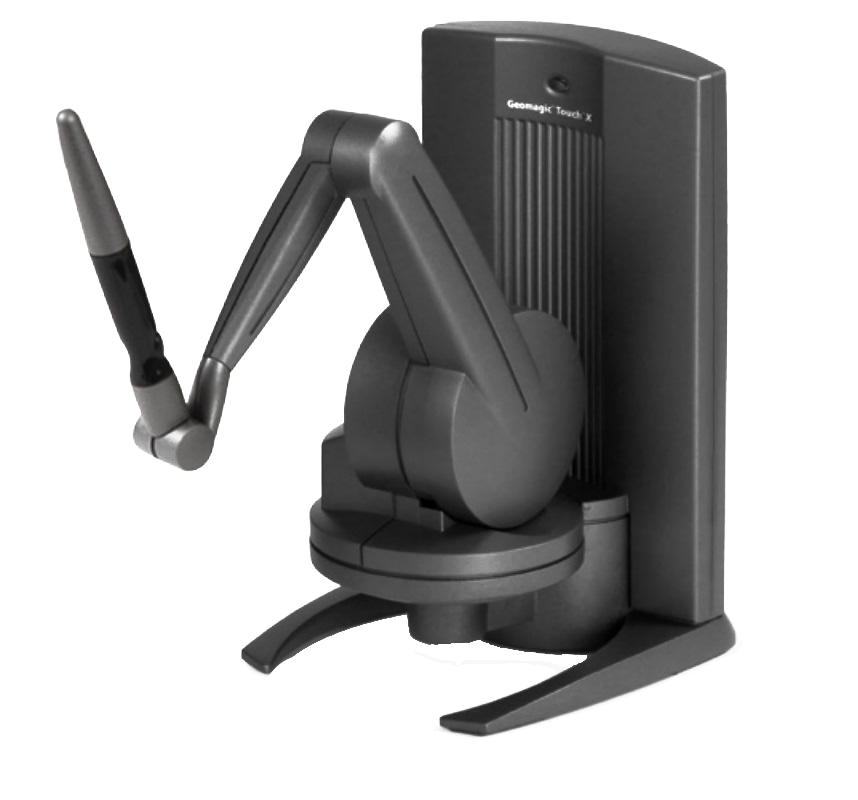
The Touch is a compact, precise motorised haptic (force-feedback) device designed to deliver realistic force feedback when manipulating digital virtual objects.
Thanks to its ergonomic stylus and pressure-sensitive touch system, it gives users a natural interaction with digital environments, allowing them to “feel” the shapes and textures of the objects they handle.
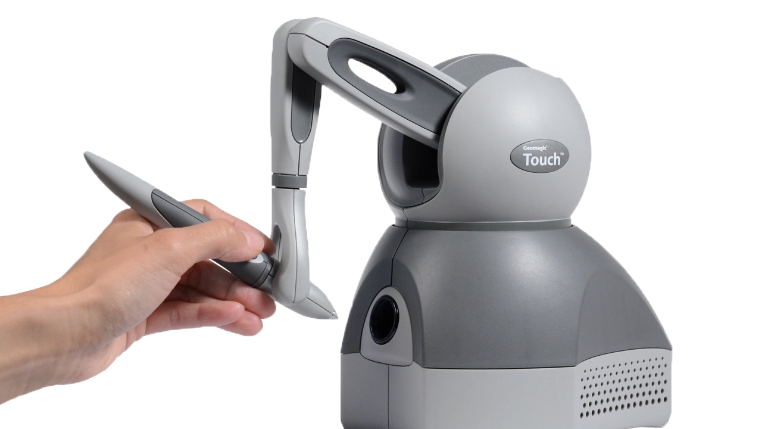
- Realistic haptic feedback that lets you “feel” virtual objects and perceive their textures and rigidity.
- High movement precision, with a nominal resolution of 0.055 mm (450 dpi).
- Intuitive interaction thanks to natural hand tracking pivoting at the wrist.
- Ergonomic stylus for comfortable use during long sessions.
- Compatibility with many design software packages (including Geomagic Freeform and Freeform Plus).
- Simple USB connection, quick calibration.
Based on an articulated mechanical arm connected to a stylus, the Touch converts hand movements into digital data while generating proportional feedback. The user thus perceives resistance, textures and volumes as if handling a real object.
With 6 degrees of freedom for position and 3 degrees of haptic feedback, it ensures high precision and a workspace of 431 × 348 × 165 mm (W x H x D), ideal for complex projects.
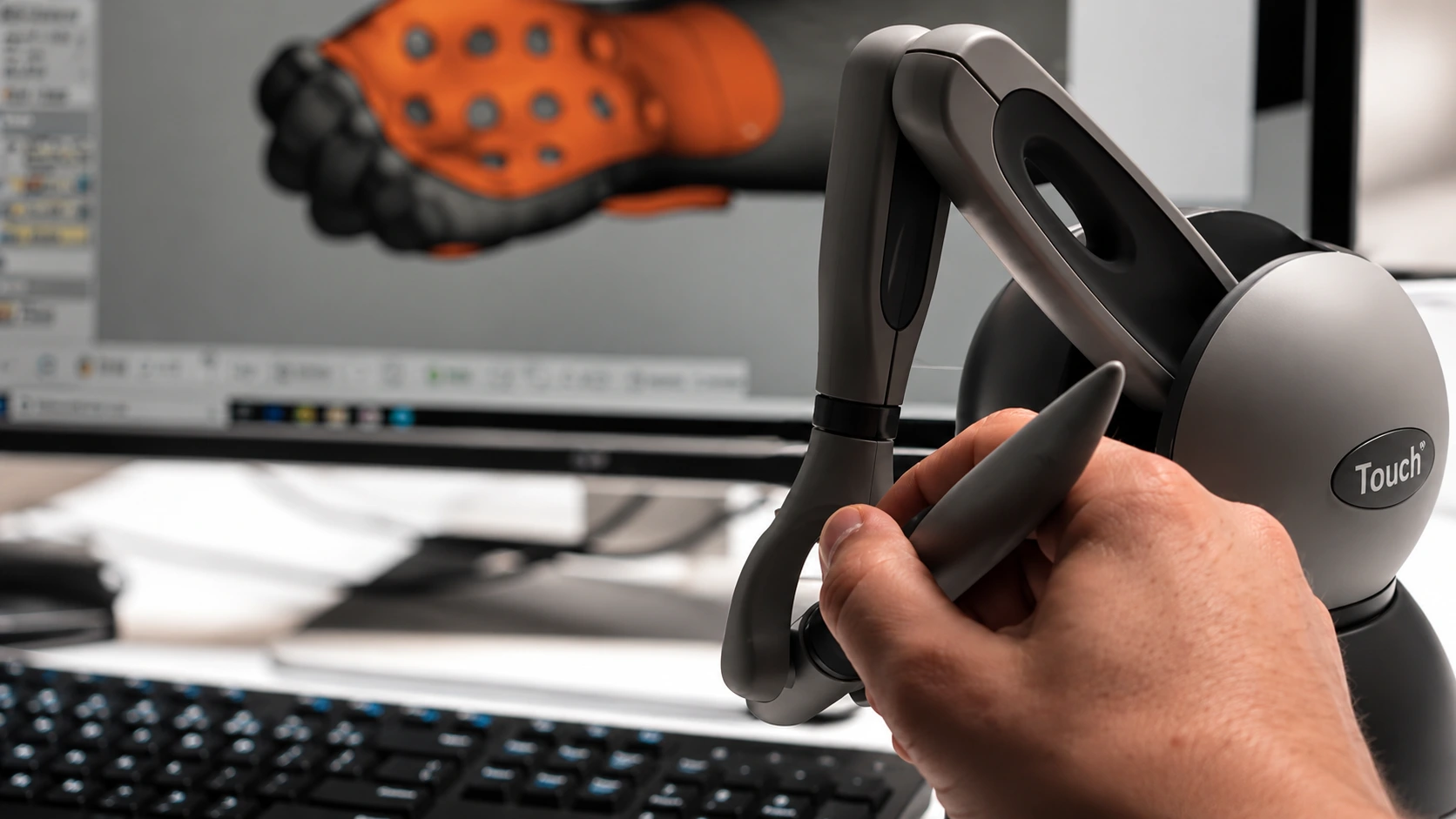
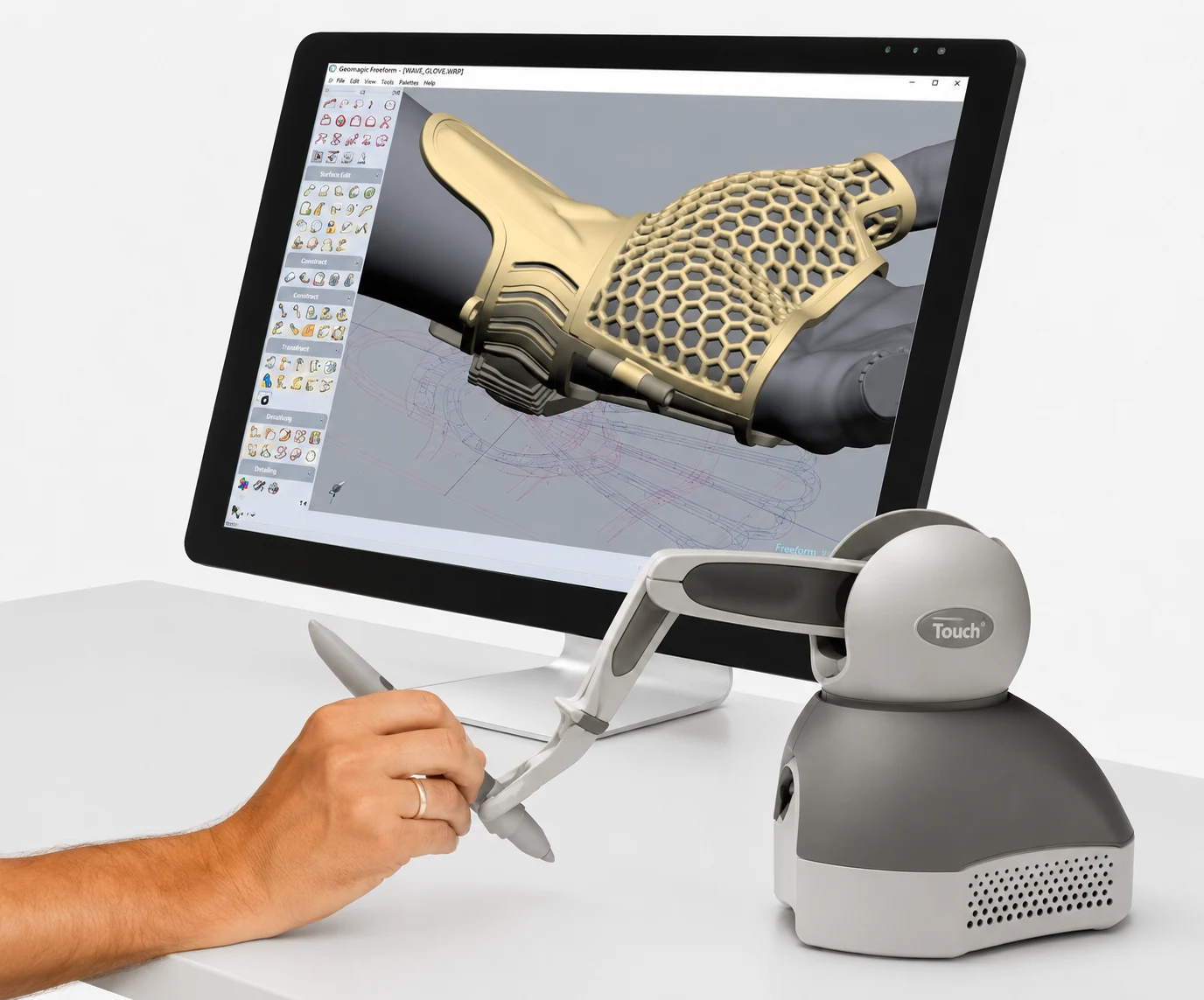
Combined with software such as Geomagic Freeform or Freeform Plus, it enables organic modelling, digital sculpting and virtual assembly. Reliable and easy to integrate, the Geomagic Touch adapts to medical modelling, simulation, virtual reality and 3D printing environments.
Specifications
| Specification | Value |
| Type | Haptic device with force feedback |
| Degrees of freedom | 6 DOF position |
| Position resolution | 0.055 mm (450 dpi) |
| Range of movement | 160 mm × 120 mm × 120 mm |
| Maximum exertable force | 3.3 N |
| Interface | USB 2.0 port |
| Weight | 1.42 kg |
| Compatible software | Geomagic Freeform and Freeform Plus, 3D modelling or simulation and VR applications |
| Required OS | Windows 10/11, OpenGL graphics card, 4 GB RAM min. |

Medical applications
The Touch is used in a variety of medical applications thanks to its realistic tactile feedback and high precision:
Surgical simulation and medical training:
Reproduction of technical gestures in a safe, realistic environment.

Custom orthoses and prostheses:
Digital design with a genuine tactile feel, making it easier and faster to prepare models for 3D printing or machining.

Surgical planning:
Planning of procedures based on consistent digital models.

Design of surgical guides and implants:
Coupled with the Geomagic Freeform and Freeform Plus CAD software, the Touch enables “organic” design suited to patient-specific devices.

Podiatry and ergonomics:
Detailed morphological analysis along each axis of movement.
How does the Touch work?
Using it follows several simple,
structured steps:
-
1
Connect the device via USB port and install the driver,
-
2
Calibrate the mechanical arm and the stylus,
-
3
Choose compatible software (e.g. Geomagic Freeform, Freeform Plus or other modelling / simulation / programming software),
-
4
Handle the stylus: every hand movement is translated into digital data,
-
5
Benefit from real-time haptic feedback, conveying textures, rigidity and friction as with a real object.
Comparison between Touch and Touch X
| Criterion | Touch | Touch X |
| Type | Versatile haptic device | Haptic device intended for advanced uses |
| Degrees of freedom | 6 DOF position, 3 DOF haptic feedback | 6 DOF position, 3 DOF haptic feedback |
| Nominal resolution | 0.055 mm (450 dpi) | 0.023 mm (1100 dpi) |
| Maximum exertable force | 3.3 N | 7.9 N |
| Range of movement | 431 × 348 × 165 mm (W x H x D) | 355 × 228 × 180 mm (W x H x D) |
| Main use | Training, 3D modelling, medical simulation, teleoperation | Training, 3D modelling, medical simulation, teleoperation requiring powerful force feedback and greater precision |
| Cost | More affordable | More expensive |
TWIN 3D supports you
At Twin 3D, we offer comprehensive support to integrate the Touch into your medical applications:
- Complete commissioning and calibration of the haptic arm and stylus
- Dedicated training in Geomagic Freeform and Freeform Plus software, for the design of orthoses, prostheses and surgical projects (guides and implants)
- Specialised technical support to ensure the reliability and continuity of your clinical and 3D modelling activities.
Reviews and user feedback
User feedback highlights the precision and realism of the Touch’s haptic feedback. Practitioners appreciate being able to feel textures, rigidity and friction in real time, which makes modelling more intuitive and improves the quality of their designs.
The ergonomic stylus is also praised for its comfort during long sessions, particularly in surgical training or surgical planning.
Finally, compatibility with software such as Geomagic Freeform and Freeform Plus is seen as a major advantage, as it facilitates the design of orthoses, custom prostheses and patient-specific surgical devices (guides & implants), as well as integration into medical virtual reality.
FAQ
The Touch connects easily via USB, with driver installation and an initial calibration.
It is used in healthcare (simulation, prostheses, training, surgical guides and implants), in digital design (Geomagic Freeform, product design), in robotics and in virtual reality.
The Touch arm is used with Geomagic Freeform, Freeform Plus and many other 3D design / modelling, simulation or teleoperation software packages.
A haptic arm is a motorised force-feedback system that allows users to regain a sense of touch and interact with virtual objects in the digital world.
Other haptic device
They trust us









Book a demonstration
Twin 3D supports healthcare professionals in their medical 3D projects. Speak with an expert and discover our solutions during a demonstration.